How to choose a standing desk for design work
What to check before you buy a sit-stand desk for design work: height range, stability, motors, desktop depth, controls and the accessories that make it usable.
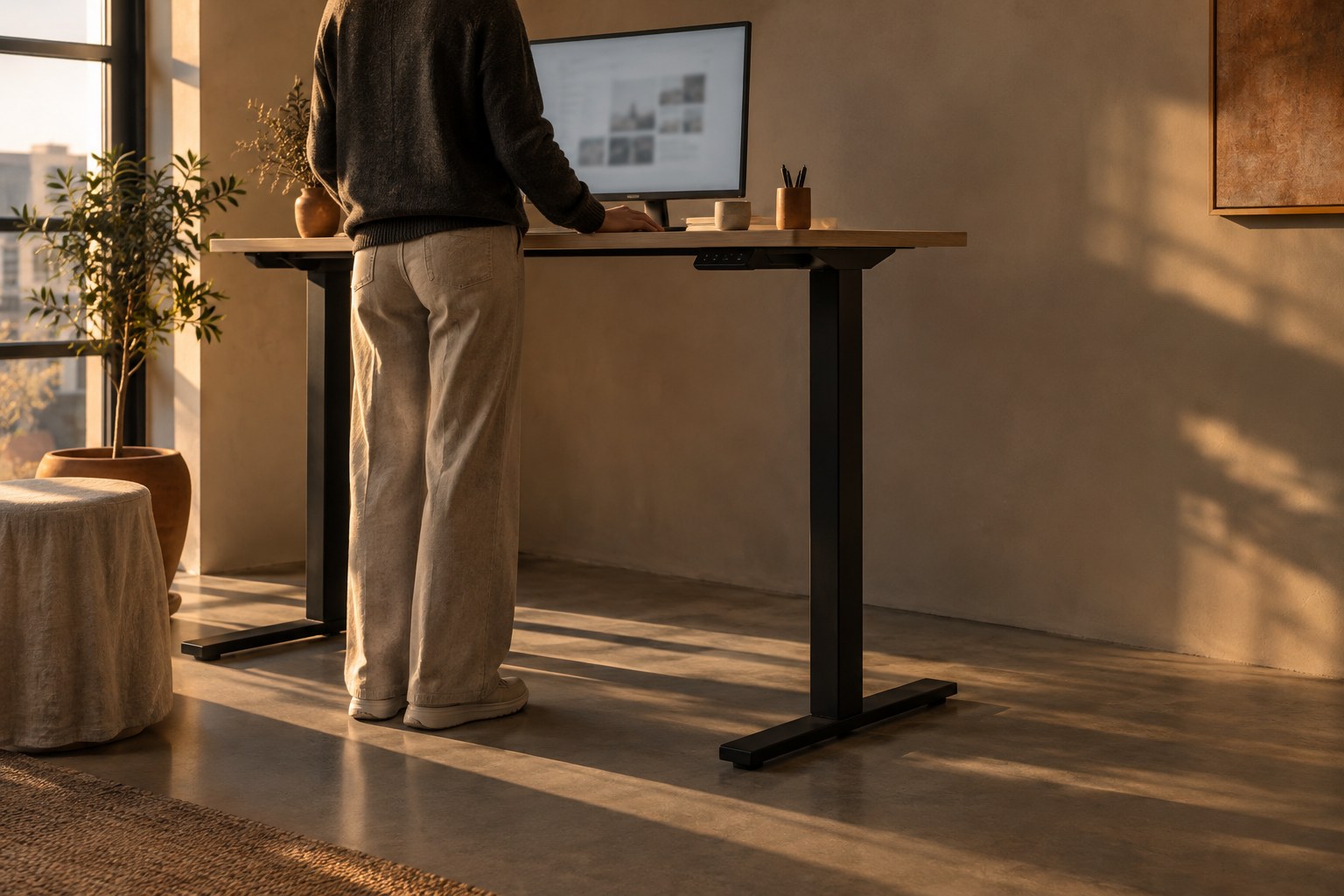
Most designers spend eight or more hours a day in one position, leaning toward a screen and nudging pixels. A standing desk will not fix that on its own, but it does make it easy to change position several times a day without leaving your work. The catch is that standing desks vary far more than the product photos suggest: some wobble every time you type, some top out too low for tall people, and some are too shallow for a large monitor.
This guide walks through what actually matters when you choose a standing desk for design work: height range, stability, motors, desktop size, and the accessories that make the setup usable every day. We will also cover how to use one once it arrives, because a desk you never raise is just an expensive table.
Start with your height, not the product page
The most important spec is the height range, and it depends on your body. In both sitting and standing positions you want your forearms roughly level with the desktop and your elbows close to a right angle, with relaxed shoulders. Measure that height yourself before you shop:
- Sit in your usual chair with your feet flat and arms relaxed. Measure from the floor to the underside of your forearm. That is your sitting desk height.
- Stand in the shoes you normally wear at home and repeat the measurement. That is your standing height.
- Add the thickness of the desktop you plan to use, because many brands list the frame height without it.
Then check that both numbers sit comfortably inside the desk's range, not at the very edge. If you are tall, the maximum height is the number that rules desks out. If you are shorter, the minimum height matters more, especially if you also use a keyboard tray or a thick desktop.
Stability matters more than speed
Design work involves a lot of small, precise movements: dragging handles, nudging layers, drawing with a pen. If the desk sways every time you type at standing height, your monitor shakes and you will quietly stop using the standing position. Wobble is the most common complaint about cheap sit-stand desks.
A few things reduce it:
- Three-stage legs. Legs with three telescoping segments usually give a wider height range and feel steadier at full height than two-stage legs.
- A crossbar or wide feet. Side-to-side wobble is reduced by a crossbar between the legs; front-to-back wobble is reduced by longer feet.
- A solid, thicker desktop. Thin particle board flexes under a monitor arm clamp; a thicker top or solid wood spreads the load.
- Load rating with headroom. Add up the weight of your monitors, arms, computer and speakers and keep it well below the rated capacity.
If you can, read reviews that test wobble at standing height specifically. Stability at sitting height tells you very little.
One motor or two
Single-motor desks drive both legs from one motor through a shared shaft. They are cheaper and fine for light setups, but they tend to be slower and louder and have lower weight limits. Dual-motor desks put a motor in each leg. They lift heavier loads more evenly and usually run quieter.
For a typical design setup with a large monitor, a laptop or desktop computer and a monitor arm, a dual-motor frame is the safer choice. As an example, the FlexiSpot E7 is a dual-motor frame that retailers list with a 355 lb load capacity, which is far more than a desk setup needs. Uplift's V2 range is another widely reviewed option with a choice of frames and desktops. Whatever you pick, check the official spec sheet rather than marketing copy, because frames within the same product line often differ in height range and capacity.
Pick a desktop that fits your actual setup
Width gets most of the attention, but depth is what designers run out of first. A large monitor needs distance from your eyes, and a drawing tablet or sketchbook needs room in front of the keyboard. A shallow desk forces the screen too close or pushes your arms off the edge.
- Depth: aim for a desktop deep enough that your monitor sits roughly an arm's length away with your keyboard and tablet in front of it.
- Width: measure your widest arrangement, such as two monitors or a monitor plus laptop, and add space for a notebook and a lamp.
- Surface: matte surfaces reduce glare from a window or desk lamp, which helps when you judge colour on screen.
- Edges: a rounded or softened front edge is much kinder to your wrists during long sessions.
Controls, presets and safety features
A desk you can raise with one button press gets used. One that needs you to hold a button for twenty seconds gets left at sitting height. Look for a control panel with memory presets, so you can save your sitting and standing heights and switch between them in a single tap.
Two other features are worth checking. Collision detection stops the desk if it hits a chair arm or windowsill on the way down. A child lock prevents accidental movement if you share the room with kids or pets. Some desks also have app or reminder features; they can help, but a simple timer on your phone works just as well.
Accessories that make it work
A standing desk changes how your cables and equipment behave, because everything has to move up and down with the top. Plan for these from the start:
- Cable management: a tray under the desk and a cable spine down one leg stop cables from snagging or pulling a plug out at full height.
- A monitor arm: it lets you fine-tune screen height so the top of the display sits at or slightly below eye level in both positions.
- An anti-fatigue mat: standing on a hard floor gets uncomfortable quickly; a cushioned mat makes longer standing stretches easier.
- A power strip mounted to the desk: so chargers and lamps travel with the desk instead of stretching to a wall socket.
How to actually use it
The goal is not to stand all day. Standing for hours brings its own discomfort. What helps is changing position regularly. A simple pattern works for most people: alternate between sitting and standing every 30 to 60 minutes, and use natural breaks such as calls, reviews or reading feedback as cues to switch.
Treat the standing position as a mode for certain tasks, not a test of endurance.
Many designers find standing works well for calls, presentations, reviewing a prototype or sorting through feedback, while detailed vector work or long writing sessions feel better sitting down. Adjust your monitor and keyboard each time you switch, so your posture stays relaxed rather than just moved.
Conclusion
Choose a standing desk the same way you would choose any tool for design work: by how it fits the job and your body. Measure your sitting and standing heights first, favour stability and a dual-motor frame over speed, pick a desktop deep enough for your screen and tablet, and plan your cables before the desk arrives. Then make switching positions part of your routine. A steady desk you raise every hour will do more for your back and focus than the most expensive model left at sitting height.